Stream structure
Review service information, PIDs, packets, PES records, access units, NAL units, file offsets, sizes, and timestamps in one workspace.
Explore compressed media from transport and container structure down to access units, syntax records, decoded pictures, QP analysis, and block-level coding decisions.
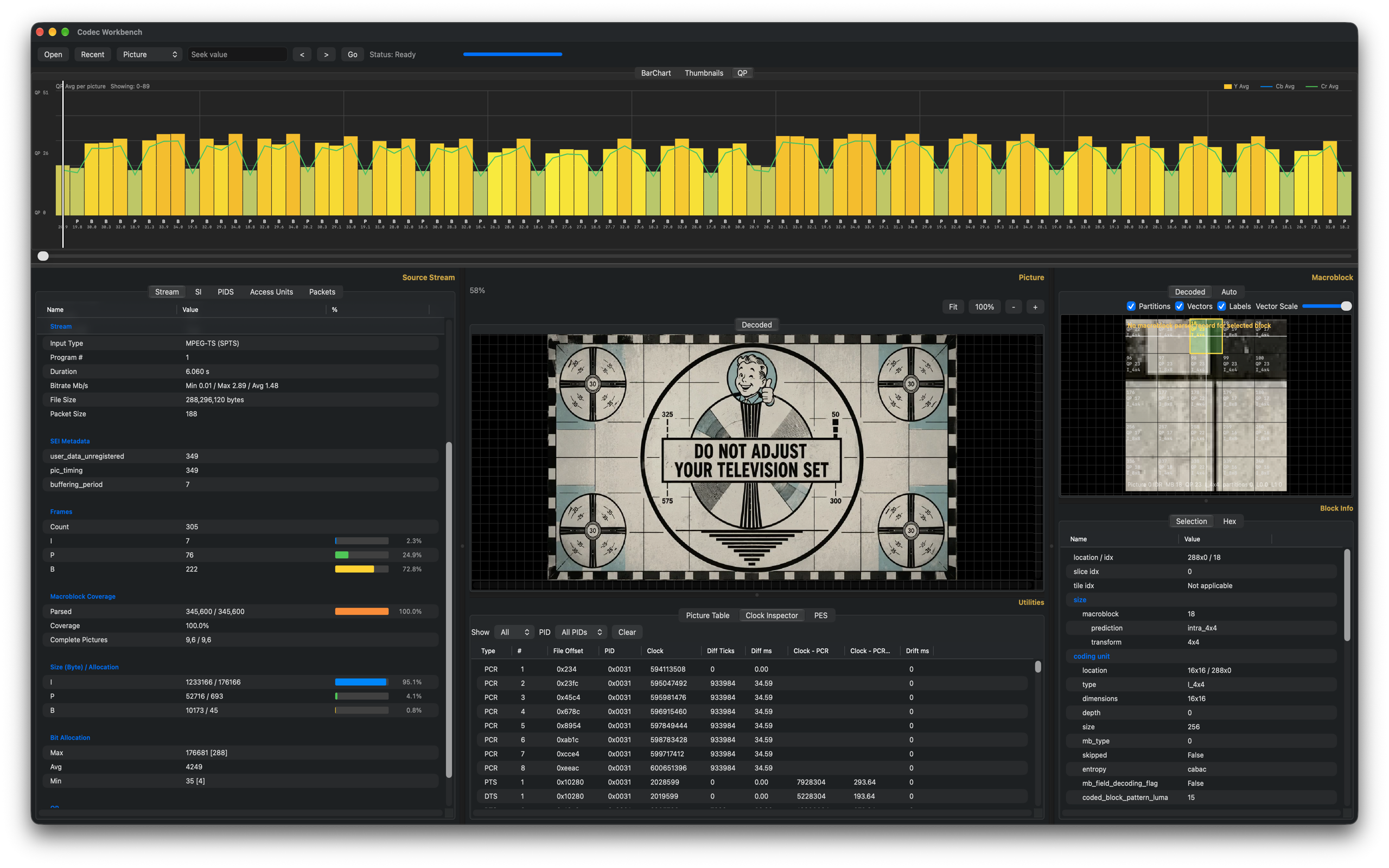
Codec Workbench is not a consumer player. It is a technical inspection environment for people who need to understand what is inside compressed media streams.
Review service information, PIDs, packets, PES records, access units, NAL units, file offsets, sizes, and timestamps in one workspace.
Expand AVC and HEVC SPS, PPS, VPS, SEI, access unit delimiters, and slice headers with spec-aligned field names and values.
Navigate pictures with bar charts, thumbnails, QP trends, frame references, decoded pictures, and heatmap overlays.
Inspect macroblock and coding-unit metadata, partitions, QP values, prediction details, and motion vectors where available.
Examine PCR, PTS, DTS, bitrate behavior, continuity counters, packet usage, and clock inspector rows for transport debugging.
Open user-selected files and analyze them locally on your Mac, with sandboxed caches and a clear cache command.
The workspace keeps stream, picture, utilities, and macroblock views visible together so navigation and diagnosis stay connected.
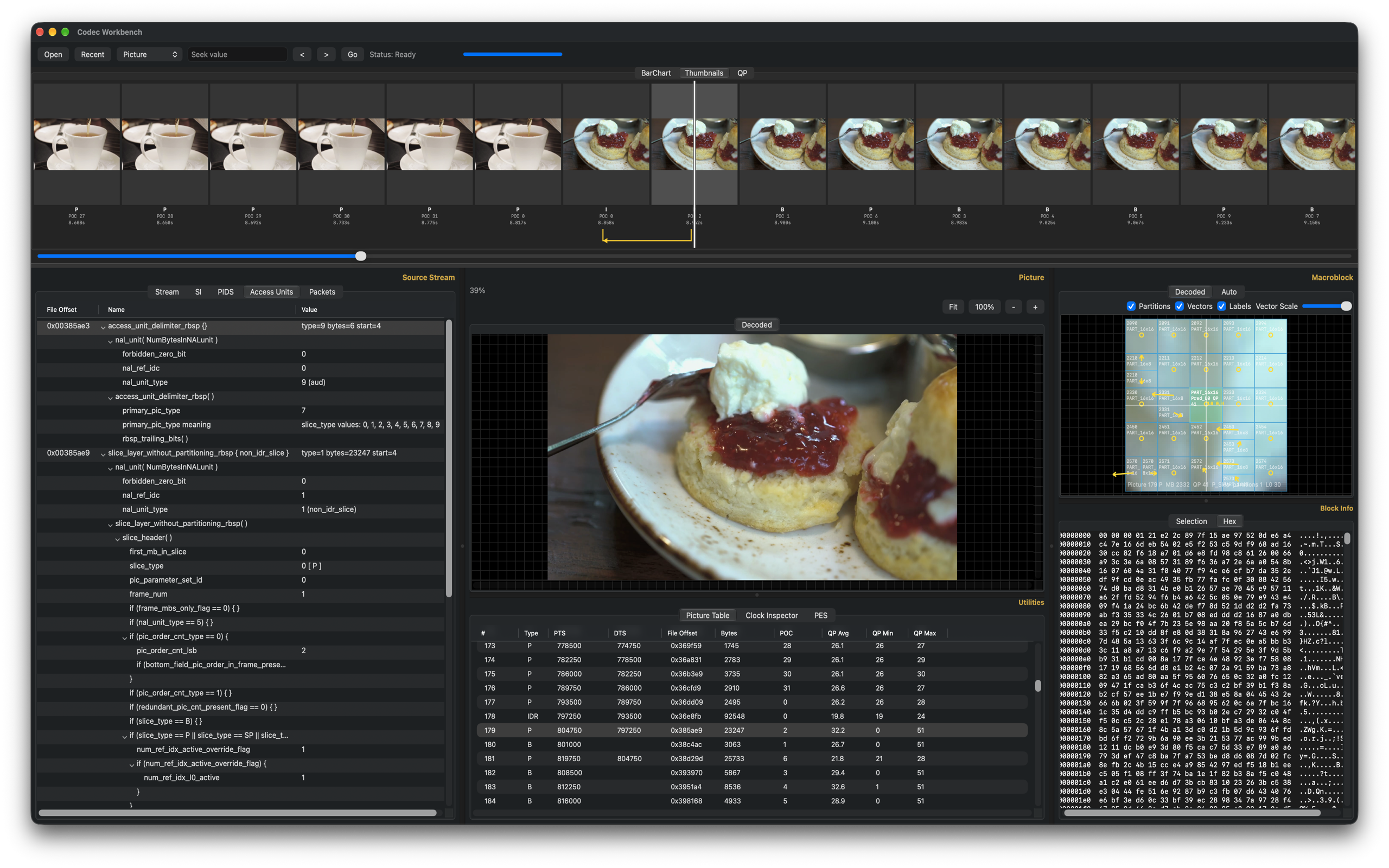
Frame navigation, source stream details, decoded picture, utilities, and macroblock inspection in one layout.
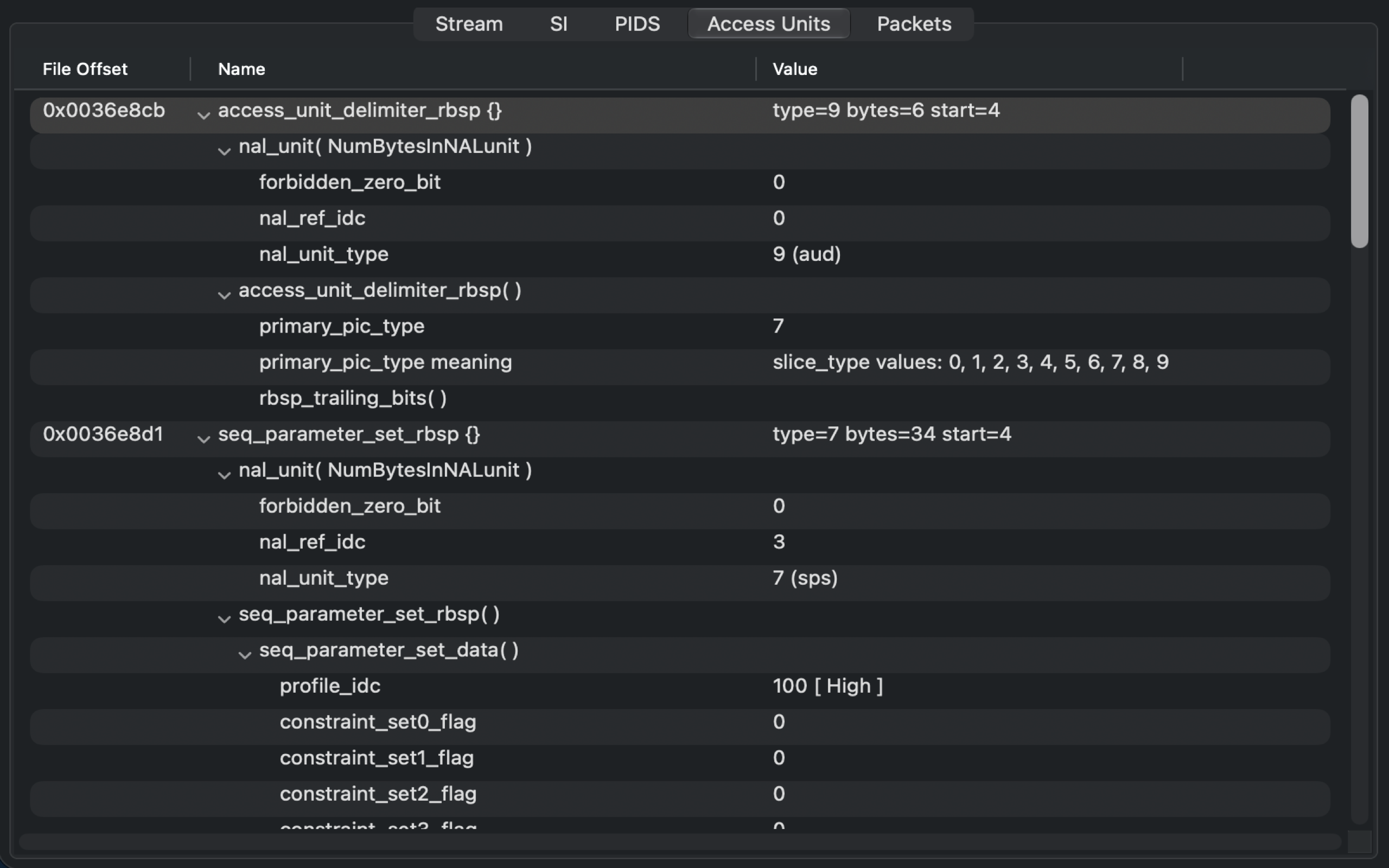
Expand bitstream structures and inspect codec syntax fields in spec order.
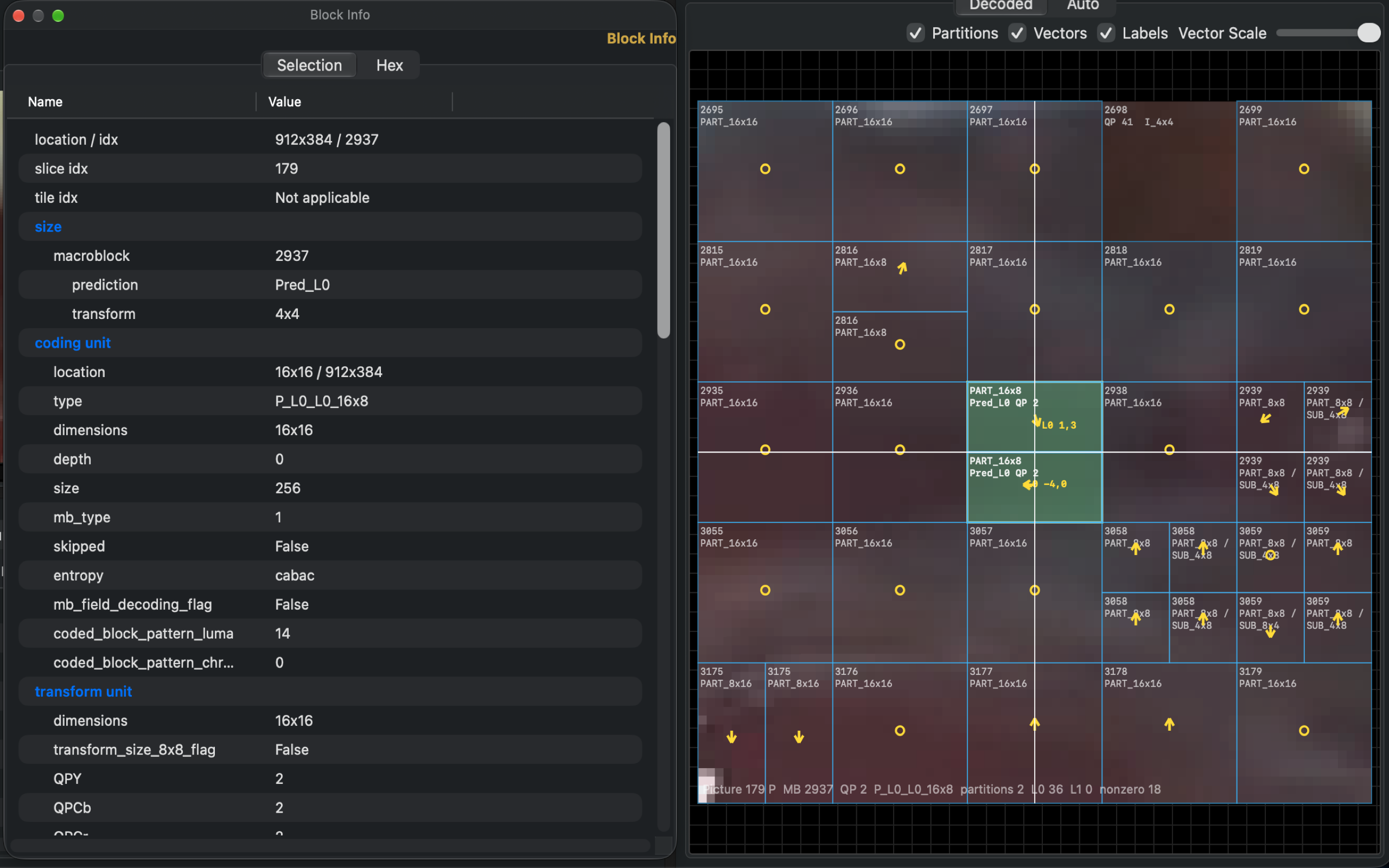
Look at selected block metadata, partitions, labels, and motion vectors while viewing the decoded picture.
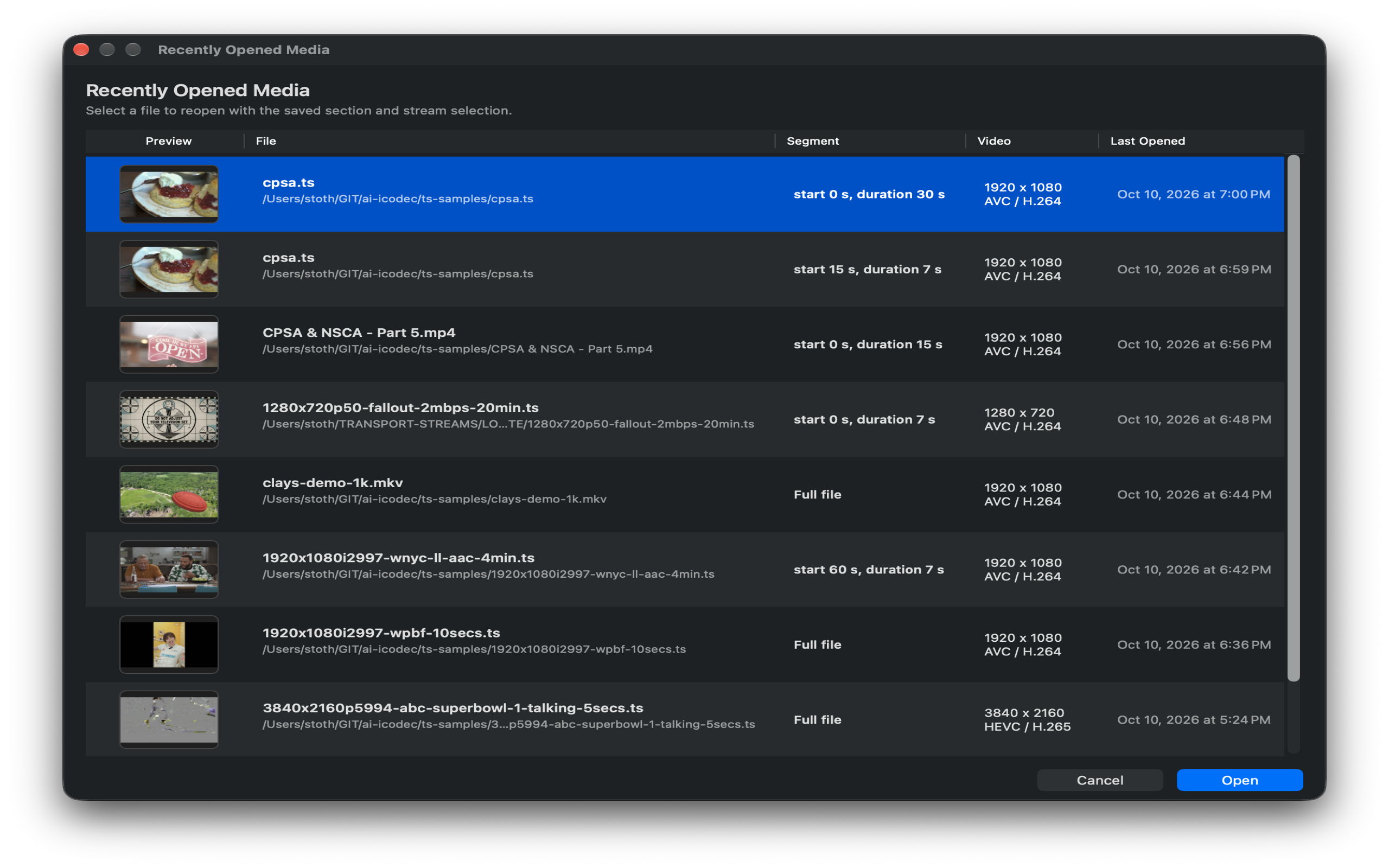
Reopen recent media with saved stream and segment choices for faster engineering loops.